POS for Bars & Restaurants

Restaurant & bar POS that keeps service and shifts under control

Busy bars and restaurants in Kenya fight order mix-ups, unpaid tabs and painful shift reconciliation. Zeni POS keeps checkout fast, payments tied to sales and owners informed through dashboard and Profit & Loss — including when the Wi-Fi drops mid-service.

Challenges bars & restaurants face

  • Orders flying between waiter, bar and kitchen with no single source of truth
  • Tabs that close late or disappear into cash pockets
  • M-Pesa tips and bills tangled at midnight close
  • No waiter-level visibility when revenue looks soft
  • Internet drops during Friday rush stopping service

What Zeni POS gives you

  • Point of Sale cart built for fast item entry
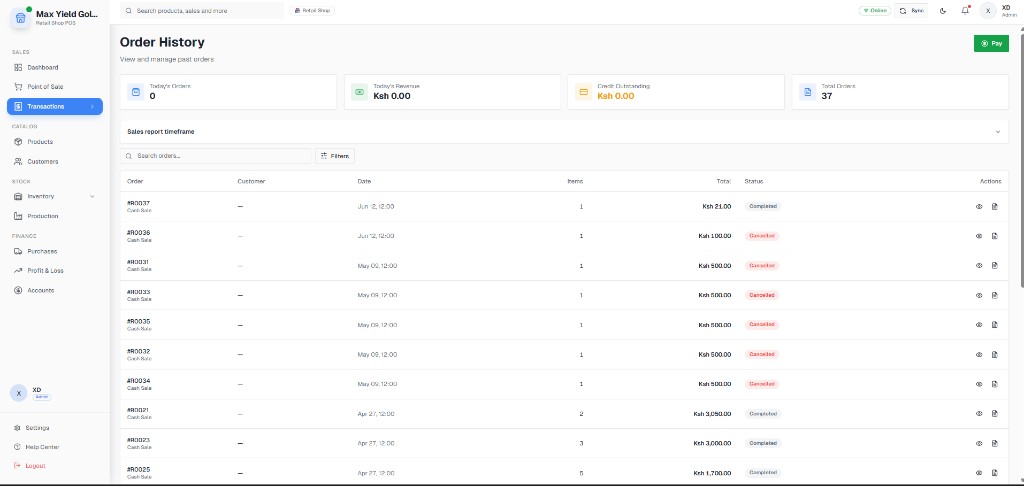
  • Transaction history for disputed tables or tabs
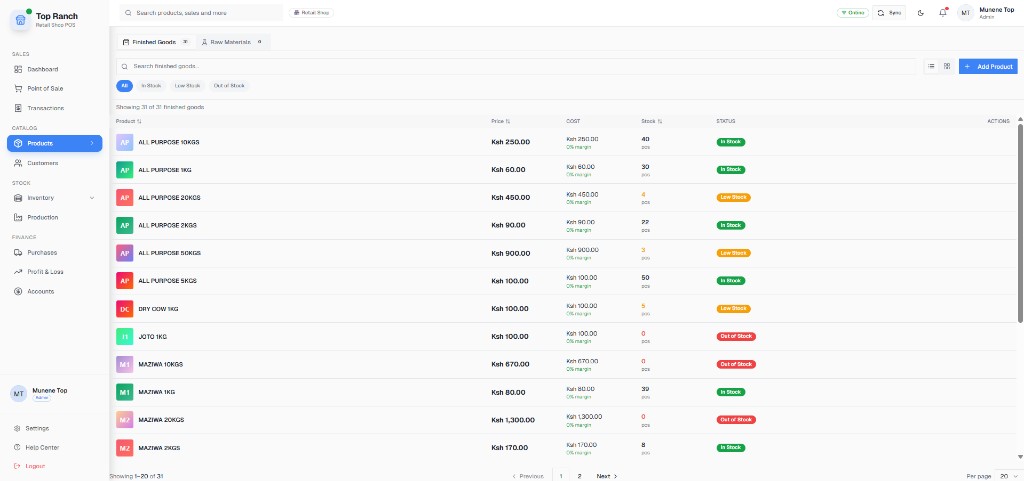
  • Products module for menu items, drinks and add-ons
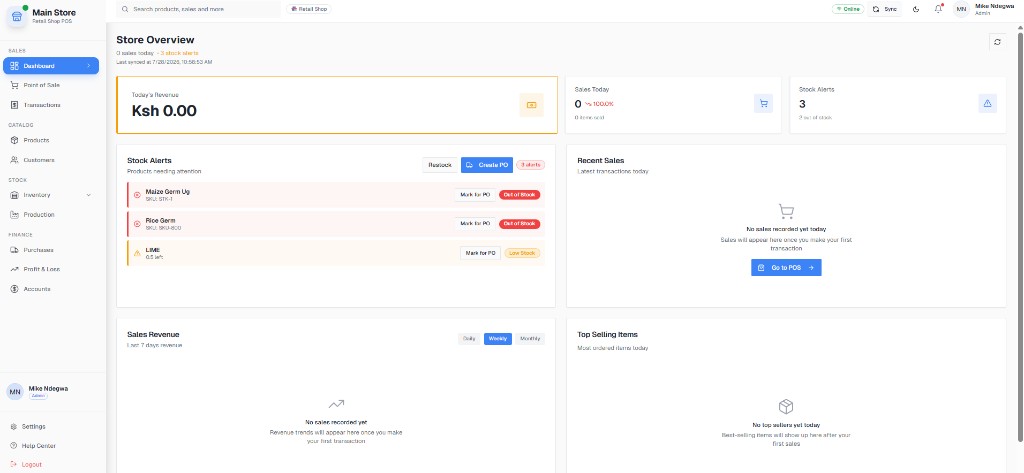
  • Dashboard for live sales during service
  • Profit & Loss for food vs beverage margin conversations
  • Offline-first selling so service continues without fibre

Day-to-day workflows

Concrete steps your team can follow from open to close — not generic feature lists.

Step 1

Table / counter order

Take the order once and charge it cleanly.

  1. Waiter or cashier opens Point of Sale and builds the cart from menu products.
  2. Apply manager-approved discounts only through authorized accounts.
  3. Send or note kitchen/bar tickets per your floor process.
  4. Close with cash or M-Pesa STK push linked to that sale.
Step 2

Shift handover

Hand over a till without mystery shortages.

  1. Pull Transactions for the outgoing shift.
  2. Reconcile cash drawer vs cash sales and M-Pesa totals.
  3. Review voids and complimentary items with the manager.
  4. Incoming shift starts with a known float and clean product stock for bottle shop / bar items.

Step 3

Owner Monday review

See whether busy nights were profitable nights.

  1. Open Profit & Loss for the weekend window.
  2. Compare high movers in Products (mains, beers, mixers).
  3. Check Inventory for bottle and soft-drink variance.
  4. Plan specials and purchasing from real movement, not memory.

Real product screenshots

Captures from live Kenyan businesses running Zeni POS — Dashboard, Point of Sale, Products, Inventory, Transactions and Profit & Loss.

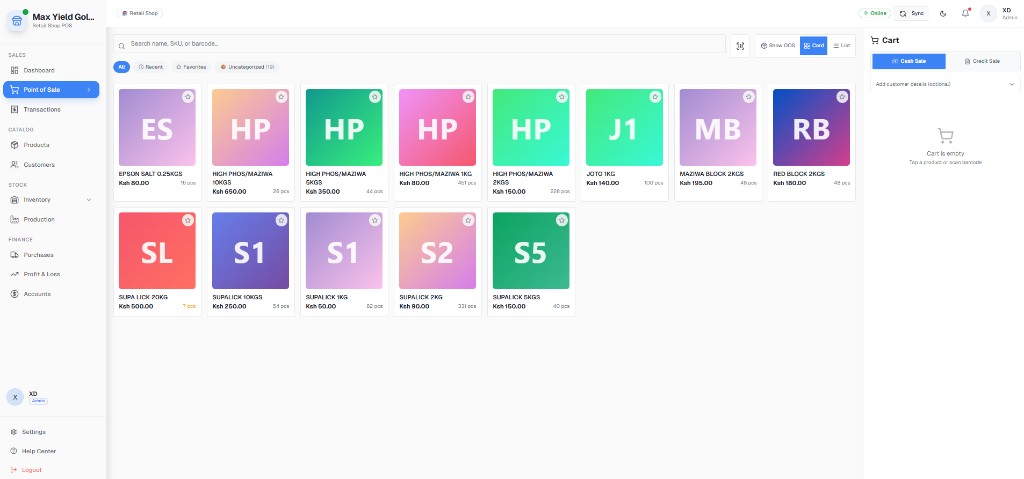
Bars & Restaurants: Fast order checkout

Fast order checkout

Point of Sale product grid — used to ring menu and bar items quickly.

Bars & Restaurants: Order & payment history

Order & payment history

Transactions list for resolving “we already paid” table disputes.

Bars & Restaurants: Menu / product catalog

Menu / product catalog

Catalog with price and stock status — map food, drinks and retail add-ons.

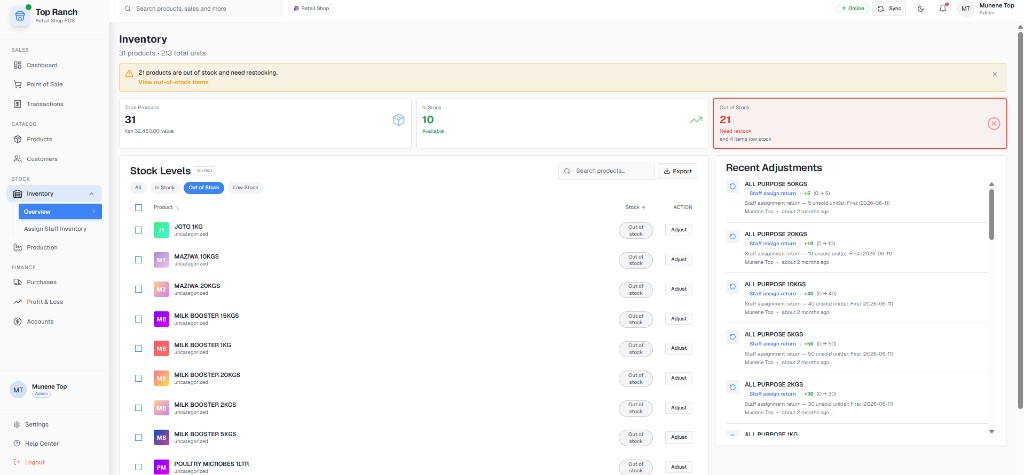
Bars & Restaurants: Bar & kitchen stock

Bar & kitchen stock

Inventory status for bottles, mixers and packaged items sold alongside meals.

Bars & Restaurants: Service-day dashboard

Service-day dashboard

Live sales overview while service is running.

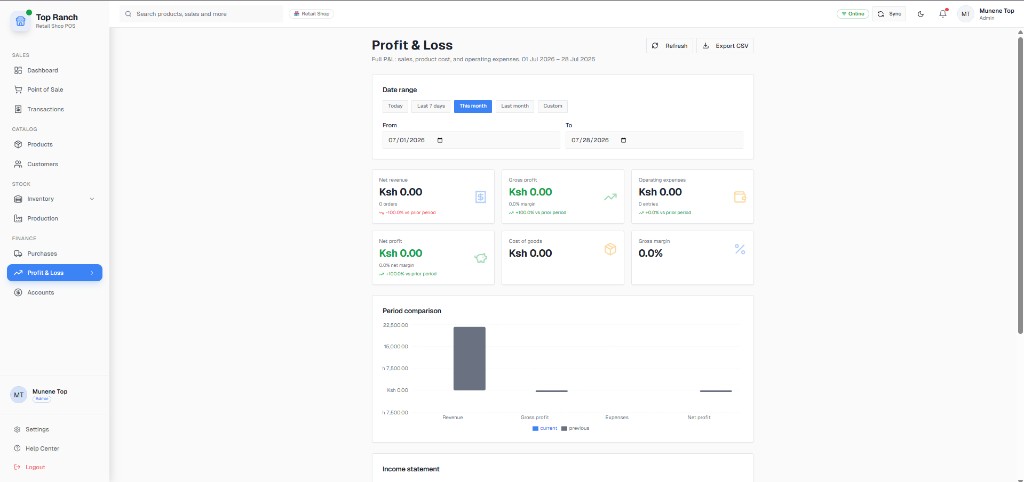
Bars & Restaurants: Weekend P&L

Weekend P&L

Profit reporting so owners separate turnover from actual margin.

  • - Modules shown are live customer UI from Max Yield Gold LTD and Top Ranch.
  • - Same POS, inventory and P&L stack restaurants use for drinks, packaged food and counter sales.
Full case study: Top Ranch

Example pricing shapes

Illustrative Kenya-shilling quote shapes used in demos. Your final figure depends on tills, branches and onboarding — always confirmed in writing before you pay. No hidden per-transaction fees.

Café or small restaurant

1 cashier station, day service

From KES 3,500 / month

Menu import + M-Pesa + one training session typically bundled in setup quote.

  • - 1 till
  • - Products + POS
  • - Shift history
  • - P&L
  • - Support

Bar with peak nights

1–2 tills, heavy M-Pesa evenings

From KES 6,500 / month

We emphasize reconciliation views and roles during onboarding.

  • - Multi-user access
  • - M-Pesa Daraja
  • - Inventory for bottles
  • - Offline selling
  • - WhatsApp support

Multi-outlet hospitality

2+ restaurants or bar + bottle shop

Custom quote

Priced per outlet after we map tills and menu size on a free demo call.

  • - Branch reporting
  • - Shared playbooks
  • - Staged go-live
  • - Owner dashboard
  • - Written KES proposal
Request your written quote

Outcomes owners care about

  • Result: Fewer unpaid or half-closed tabs at shift end
  • Result: Faster M-Pesa closeouts after peak service
  • Result: Clearer view of which menu items actually make money
  • Result: Service continuity when internet is unstable

FAQs for bars & restaurants

Is Zeni POS suitable for restaurants that also sell packaged drinks?

Yes. Many Kenyan restaurants mix kitchen tickets with bottle or retail SKUs. Products + Inventory + POS cover both service and packaged stock in one system.

What happens if internet drops during dinner service?

Zeni POS is offline-first. You keep taking orders and recording sales on the device; data syncs when connectivity returns.

How much does restaurant POS cost with Zeni?

Illustrative single-station quotes start from about KES 3,500/month. Bars with multiple users or outlets get a custom Kenya-shilling quote after demo — no hidden per-transaction fees.

See Zeni POS running in your shop

Book a free 20-minute demo and we will walk you through selling, M-Pesa and stock using your own products. No obligation, no card needed.

Placeholder contact details — swap in the real WhatsApp line and demo booking link.